
Free Online Course from Future Learn: Design and Create Custom Dashboards in Excel
Enhance your Excel charting skills and discover the tools and skills to create
- English
- With Certificate

Tutor Name
Future Learn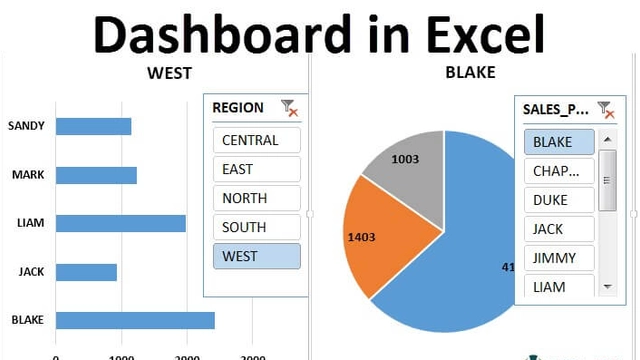
About the Course
Future Learn platform is offering a free online course on designing and creating custom dashboards in Excel. Dashboards can be used at every level of an organization to provide value, track progress and KPIs, and reveal insights. Organizations are working with more data every day and the skills to create dashboards in Excel are in high demand. On this six-week course, you will learn how to build dashboards from scratch before putting this knowledge into practice by creating three informative and visually stunning interactive Excel Dashboards. You’ll begin by discussing the three types of dashboards before covering the basics of creating them. You’ll also learn the top tips for creating a dashboard as well as the most common mistakes to avoid to ensure your dashboards work effectively.
Who is the Course for?
This course has been designed for anyone looking to enhance their Excel charting skills and learn advanced techniques to visualize data.
Duration:
The course lasts 6 weeks, 2 hours per week.
Topics Covered in the Course:
- When to start with a dashboard project.
- Good and bad dashboard designs.
- Creating custom visuals in Excel.
- Advanced Excel charting techniques.
- Excel formulas to make charts dynamic.
- Automating Excel charts.
- Using Form Controls to add interactivity.
- Completing and protecting dashboards.
Learning Outcome:
By the end of the course, the learner will be able to:
- Explain the use of a Dashboard.
- Describe different dashboard types.
- Create a Custom Visual Overlay.
- Summaries the Do's and Do Not's of creating a dashboard.
- Explain why Excel is great for Dashboards.
- Identify inputs, linked data, helper columns, and different worksheets.
- Create Automated Charts with Named ranges.
- Apply the INDEX and other Excel functions to create dynamic advanced charts.
- Develop dashboard interaction with advanced formulas, dropdowns, and form controls.
- Apply form controls to scroll data on a chart.
- Design and developer a dashboard project from scratch.
- Apply protection and professional final touches to a dashboard.
Benefits:
- Enrollment is free, and it gives access to the course for 7 days.
- Pay £36 per month to keep learning online.
- Have complete control over your subscription; you can cancel any time.
- Work at your own pace and set your own deadlines at every stage.
- Earn digital course certificates and a final award that you can share online with your professional network.
About Future Learn:
They offer a diverse selection of courses from leading universities and cultural institutions from around the world. These are delivered one step at a time and are accessible on mobile, tablet, and desktop, so you can fit learning around your life. Also, they believe learning should be an enjoyable, social experience, so their courses offer the opportunity to discuss what you’re learning with others as you go, helping you make fresh discoveries and form new ideas.
See more available bachelor scholarships on For9a
See more available internships on For9a
See more opportunities in the UK available on For9a
Taught by

They offer a diverse selection of courses from leading universities and cultural institutions from around the world. These are delivered one step at a time and are accessible on mobile, tablet, and desktop, so you can fit learning around your life. Also, they believe learning should be an enjoyable, social experience, so their courses offer the opportunity to discuss what you’re learning with others as you go, helping you make fresh discoveries and form new ideas.
Read more.